Core Features & Benefits
- Centralized Local Storage: The H500 comes with 16GB of onboard storage and supports an additional 2.5-inch hard drive (up to 16TB).
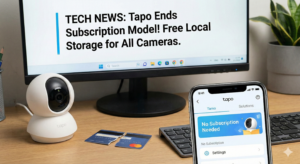
- Subscription-Free: It eliminates the need for cloud subscriptions by recording locally. It also replaces vulnerable SD cards in individual cameras, preventing data loss if a camera is stolen.
- Wi-Fi Backup: It acts as a backup connection for cameras. If the main Wi-Fi or internet goes down, the H500 keeps the cameras connected and recording locally.
- Device Support: Connects up to 16 Tapo cameras/doorbells.
- Recording: All 16 can do event-based recording. Up to 4 cameras can record 24/7 if a hard drive is installed.
- AI Enhancement: It can add AI features (like facial recognition) to up to 6 older/basic Tapo cameras that lack these native capabilities.
- Matter Bridge: It serves as a Matter 1.2 bridge, allowing sensors (up to 64) to integrate with other smart home platforms, though cameras themselves don’t currently bridge over Matter.
Display & Monitoring
- HDMI Output: Features an HDMI port to connect a monitor or TV.
- Dashboard: Users can configure a “dashboard” to display camera feeds (single view or 4-camera grid). It can rotate through different sets of cameras on a timer.
- Two-Way Talk: The hub has a speaker and microphone, allowing users to answer video doorbells directly from the hub.
Ports & Hardware
- HDMI: For monitor display.
- USB-C: Primarily for power.
- USB-A: Can charge devices or accept a USB flash drive for backing up footage.
- Ethernet (LAN): 10/100 Mbps port for wired network connection.
- HDD Slot: Side slot for the 2.5-inch hard drive.
Limitations
- Dashboard Logic: The monitor display rotates through cameras on a timer; it does not automatically switch to a camera when motion is detected, which the reviewer notes as a missing feature.
- Matter Support: currently only Matter 1.2, so it doesn’t bridge cameras to other platforms (like Apple Home) via Matter yet.
Conclusion
The H500 is presented as a major upgrade for Tapo users, offering robust local storage, increased security against internet outages, and a dedicated viewing station, effectively competing with systems like Eufy’s HomeBase.
So I invested a lot of money into Casa province plugs, cameras can you please make a video of what would be the best investment in home automation that will last a long time and be capable of doing many things matter and just make it easier which company do you suggest we invest on buying their products?
My Eufy system which includes the HB3 has been playing up lately (Worldwide dropouts, multibridge WiFi disconnecting, Poor connections, Doorbell not quick enough to connect when rang, Jumpy recordings and other things) plus seeing this H500 with the multiview on external monitor and the cameras like the C320WS being better than my current Eufy C24 i really think after watching this video i might switch to Tapo.
you had mentioned the hardware can support a 16tb hard drive. the form factor is 2.5in in that so where does one get a 16tb 2.5inch hard drive cause I dont think those exist the biggest I am finding is a 4tb SSD but there expensive. I know they make U.2 Drives but thats enterprise class and NVMe which a NVR doesnt need so im confused by that statement.
I’ve had the H500 for a few months now. I waited on it for a long time (CES 2024). It gives me capability for 1/3 the prices of many Eufy or Reolink systems. All I want is just like Brian is showing us, show me my cameras on a screen. And local storage. But you should know, not all the compatible Tapo camera have firmware available to connect. And there’s no maintained list of IF/when they have now made the firmware available allowing it to connect. You have to buy the camera and “see” if it connects. I have the C120 and C260. The C260 is one of their newest and out of the box with the H500 out of the box, it would not connect. And I fussed at Tech Spt for nearly 3 months before they “got around to fix it”. Now, they connect.
BUT, (there’s another one,) You will likely find, you have to “re-engerize” (start) the Display Dashboard to the Monitor daily. The cameras simply “paused” and don’t restart displaying on their on. Its annoying, but its not a deal-killer. I have mine connected to a 32″ monitor. Love that HDMI connection. For what its worth, I tried Eufy and Reolink, (I bought and returned their gear). Neither does what this simple H500 does. But Tapo needs to release a successor to the C120 in 4K and this will be a much better system.