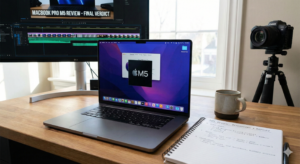
The Verdict Upfront
- The host declares the M5 MacBook Pro a “bloodbath” for Intel and AMD, stating it “slaughters” them in performance.
- Even though the M4 was already the best on the market, the M5 widens the gap significantly.
Hardware & Design
- Chassis: Identical to the previous generation (M4). CNC aluminum, 3.4 lbs, incredibly rigid with zero flex.
- Display: 14-inch Liquid Retina XDR (3024 x 1968 resolution). 120Hz ProMotion.
- Brightness: 1600 nits peak brightness (SDR and HDR), making it usable in direct sunlight.
- Accuracy: Beats many professional mastering monitors in both color and brightness tracking.
- Complaint: The reviewer still hates the notch, calling it “ugly” and criticizing the lack of FaceID (it still uses TouchID).
- Ports: 3x Thunderbolt 4 (not TB5), HDMI 2.1, SD Card Reader (full speed), MagSafe, and a headphone jack.
- Speakers: Best on the market. Six-speaker system with force-canceling woofers. “Sounds wide, sounds deep.”
- Webcam: 12MP Center Stage camera (1080p video) with good exposure, though not enough to justify the notch.
M5 Performance Benchmarks
- CPU Specs: 10 Cores (4 Performance, 6 Efficiency). Boost clock up to 4.6 GHz.
- Single-Core Speed:
- vs M4: 15.6% faster.
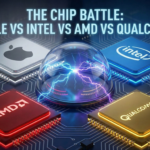
- vs Intel Core Ultra 7 268V: 61% faster.
- vs AMD Ryzen 9 HX 370: 75.4% faster.
- Multi-Core: described as a “beast,” aided by larger L2 cache (6MB vs 4MB on M4).
- GPU Performance:
- vs M4: 28.5% faster (Apple claimed 30%).
- vs Intel Arc 140V: 55% faster in synthetic benchmarks.
- Gaming Reality: While synthetic scores are high, actual gaming performance is often identical to Windows integrated graphics due to poor optimization. It gets “destroyed” by dedicated Nvidia GPUs (e.g., RTX 4070 mobile is ~437% faster).
- SSD Speed: Massive upgrade to PCIe Gen 5 controller.
- Speed: ~6,300 MB/s read (reviewer’s test), significantly faster than the M4’s ~3,100 MB/s.
Battery Life & Efficiency
- Battery: 72.4 Wh capacity.
- Result: 17 hours and 22 minutes (only 4 minutes longer than the M4 model).
- Efficiency: The processor consumes only ~17 watts, meaning performance doesn’t drop when unplugged (unlike many Windows laptops).
Repairability & Upgrades
- Internals: RAM and Storage are soldered and non-upgradable.
- Recommendation: The reviewer advises buying the base storage and investing in a NAS (Network Attached Storage) instead of paying Apple’s “criminal” prices for SSD upgrades ($1,200 for 4TB).
Conclusion
- Price: $1,600 USD.
- Value: Considered a “pretty good deal” given the screen, speakers, and single-threaded dominance.
- Pro vs Air: The reviewer strongly recommends the Pro over the Air due to the vastly superior screen (3x brighter), better ports, better keyboard consistency, and active cooling (fan).
They apparently put a lot of work into that unboxing experience. I attended an Apple sponsored training when I worked for a wireless carrier and the dude said the box is designed to separate and release the device in something like 4 seconds because they studied it and determined that it was the optimal amount of anticipation.
Quickly defending the MagSafe charge port on these: I actually appreciate having a robust DEDICATED power-in for a computer. You may not always need it (I always use usb-C myself to charge) but USB ports can break, and a fall-back place to always get full power even when a battery is chemically dead is IMO never a bad thing. A computer is nothing without a for-sure source of electricity!
Something that I’ve never seen a reviewer mention in an Apple CPU review is that when he sold AnandTech, Anand Lal Shimpi immediately went to work at Apple and his official title is redacted. I’m willing to bet it’s Chief of Silicon Architecture or something like that. Anyone whose mind has been boggled by Apple’s ridiculous CPU performance can just go back and read Anand’s articles on the Pentium III, IV, the original Athlon and then the Athlon64, etc…. This guy dove deep into every CPU architecture and benchmarked everything thoroughly. Read the articles if you never have. He set the standard. I know that Linus used to read AnandTech, and I assume that everyone else has too. He’s one of the foremost tech enthusiasts in the world…. And he’s had a hand in every Apple Silicon chip since 2015. Let that sink in
That’s one thing that Mac does so much better than Windows — performance when unplugged. You cannot tell the difference between a plugged-in Mac and an unplugged Mac when benchmark testing — any difference is well within the margin of error. But for Windows laptops, the difference is huge! And it doesn’t matter how you screw with the power-settings, either. Seems like Windows machines simply just don’t allow you to draw full power from them unless they’re plugged in.
It saved my laptop MANY times with the cord being pulled and is also a no brainer when you want fast plug on/off. This is also the reason they brought magsafe BACK! After the USB-C-only fiasco with the older MacBook Pro and a lot of protests. Also the notch is ok, because the display is TALLER than the 16:9 on PC laptops, and small or big notch its definitely better than a even BIGGER margin running along the whole upper side of the screen just for the tiny camera on top of the screen.